← All work
( Case study 04 · Energy & utilities · Tata Power )

Tata Power

One app, web portal and admin for Tata Power’s electricity customers across seven discoms, from Mumbai and Delhi to Odisha and Ajmer. Pay bills, track usage, raise complaints and apply for services, in English, Hindi and regional languages.

Client
Tata Power
Role
Design lead · led the team
Platforms
iOS · Android · Web · Admin
Google Play
1 lakh+ downloads · 3.3★
My Tata Power Plus splash screen
7discoms on one design system
3products: app, web portal, admin
1L+downloads on Google Play
3.3★from ~1K reviews, and climbing
( Who we designed for )

Four ways people live with a meter

Derived personas from the UX approach. Residents, tenants, landlords and NRIs all pay for power, but rarely in the same way.

AS

Anita, 42

Resident · homeowner, Mumbai
“Remind me before the bill is due, and let me pay in two taps.”
Goals
  • Pay recurring bills on time
  • See monthly usage at a glance
Frustrations
  • Missed due dates
  • No warning before a power cut
Designed for them: Bill-first home · Quick pay
RK

Rohit, 27

Tenant, Delhi
“The meter’s in my landlord’s name, but I’m the one paying.”
Goals
  • Pay for a meter he doesn’t own
  • Raise a complaint without the owner
Frustrations
  • CA number tied to someone else
  • Paper receipts get lost
Designed for them: Quick Bill Pay · Complaints
SM

Mr. Mohanty, 58

Landlord, Bhubaneswar
“Eight tenants, eight meters. I need them all in one place.”
Goals
  • Track every CA he owns
  • Share bills with tenants
Frustrations
  • A separate login per meter
  • Chasing tenants for payment
Designed for them: Multiple CAs · Bill sharing
PN

Priya, 35

NRI, Dubai
“I pay my parents’ bill from abroad. It has to just work.”
Goals
  • Pay from outside India
  • Get bill alerts on time
Frustrations
  • OTPs to a number she doesn’t carry
  • Unclear payment status
Designed for them: Link mobile · Web portal
( The problem )

Seven discoms,
seven sets
of rules

Tata Power supplies electricity through separate companies in Mumbai, Delhi, four in Odisha and Ajmer, each with its own tariffs, services, regulations, helplines and languages. The old experience treated customers as account numbers: bills buried behind menus, complaints hard to track, no warning before a power cut. The brief was one consumer app, web portal and admin that feel the same everywhere but follow each region’s rules.

What customers kept saying

01

Bills buried behind menus

02

No warning before power cuts

03

Complaints lost after filing

( Approach )

Three promises
for the redesign

01

Bill first

Amount due, due date and early-payment rebate sit on top; every other service comes after.

02

One system, seven discoms

Shared components, with each discom’s logo, tagline, services, helplines and languages switched by configuration.

03

Familiar, then smart

Familiar patterns up front; usage insights, peer comparison and nudges once you’re in.

( One app, seven discoms )

Same app, local everywhere

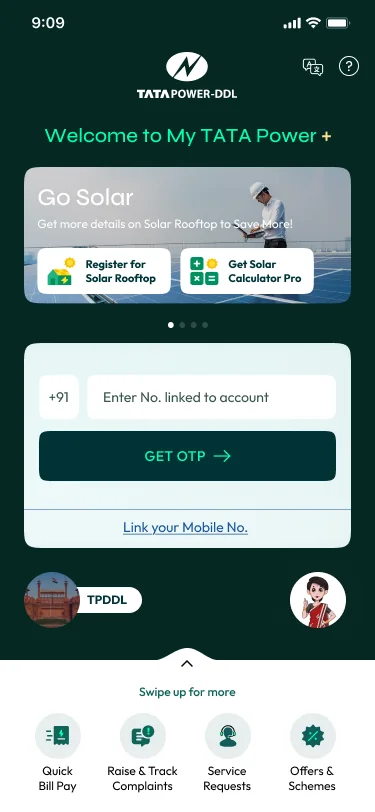
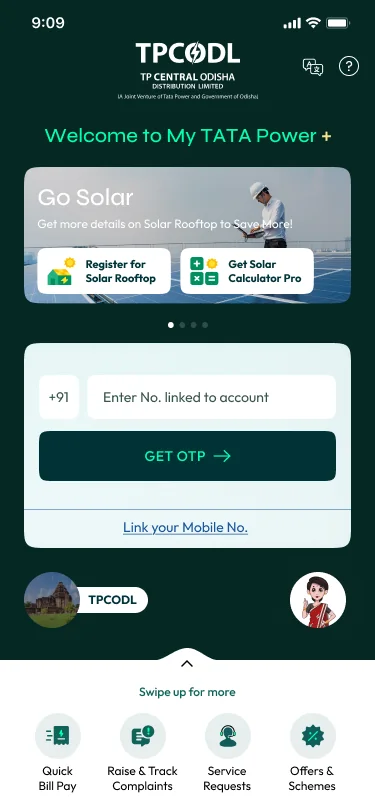
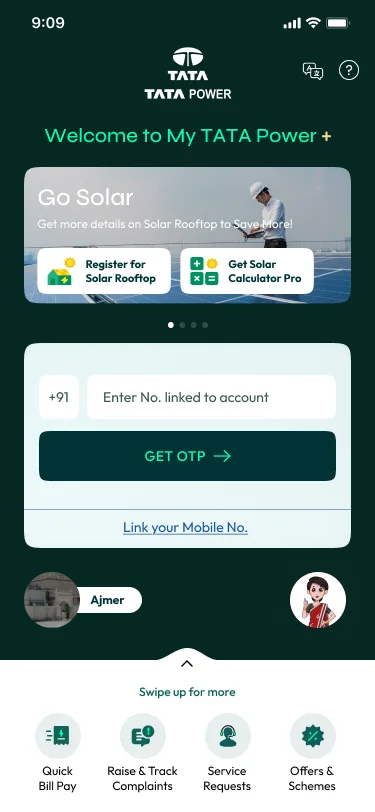
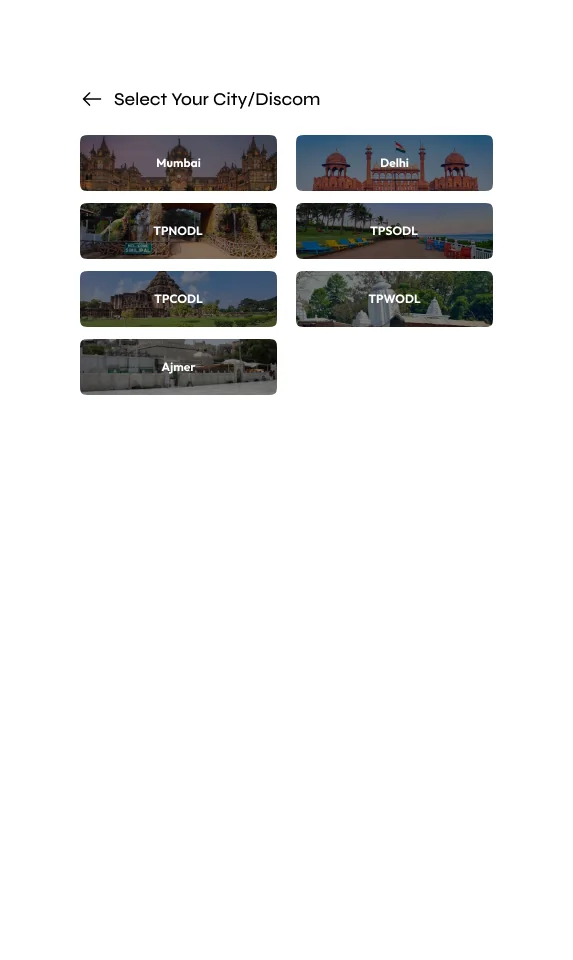
Pick your city or discom once and the app re-themes itself: logo, tagline, services, helplines and language, from Hindi to Odia. Behind it sits one component library and a configuration the admin team controls.

Mumbai
Mumbai
Delhi
Delhi
Odisha
Odisha
Ajmer
Ajmer
( Information architecture )

The bill on top, every job one tap away

IA feature mapping from the deck grouped dozens of services by what a customer is trying to do: pay, understand usage, report a problem or change the connection. Pre-login gets the jobs anyone can do without an account.

My Tata Power +
Pre-login
Quick Bill PayRaise & track complaintService requestsOffers & schemesCalculatorsCity / discom & language
Home
Bill + Pay NowMultiple CAsRebate nudgeOffers & solarEnergy tips
Pay
Energy billNon-energyPayment gatewayReceiptsBills & history
Usage
kWh / ₹ trends15-min dataCompare peersImport / exportSelf meter reading
Complaints
No powerVoltageSafety incidentReport theftTrack request
Services
New connectionName changeLoad / categoryChange & switch overOpen accessDisconnection
Profile
CA profile & linkE-bill & WhatsAppLanguageNotificationsSettings

Home tiles: Bill Payments · Complaints · Service Requests · Bills & History · Calculators · EV Charger · e-Bill · Meter Usage

( Key flow )

Pay a bill without signing in

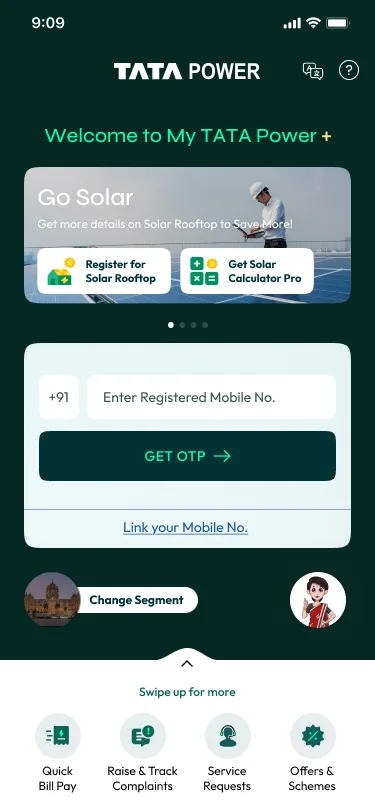
Tenants, NRIs and relatives often pay for a meter that isn’t theirs. Quick Bill Pay works straight from the pre-login screen with a CA number, shows a sample bill to help find it, and surfaces the early-payment rebate before checkout.

Pick city
or discom
Enter CA number
Yes → show billBill
found?
No → sample bill helps find the CA
Review bill
and rebate
Pay via gateway
Receipt +
e-bill opt-in
( Early concepts )

Wireframes before pixels

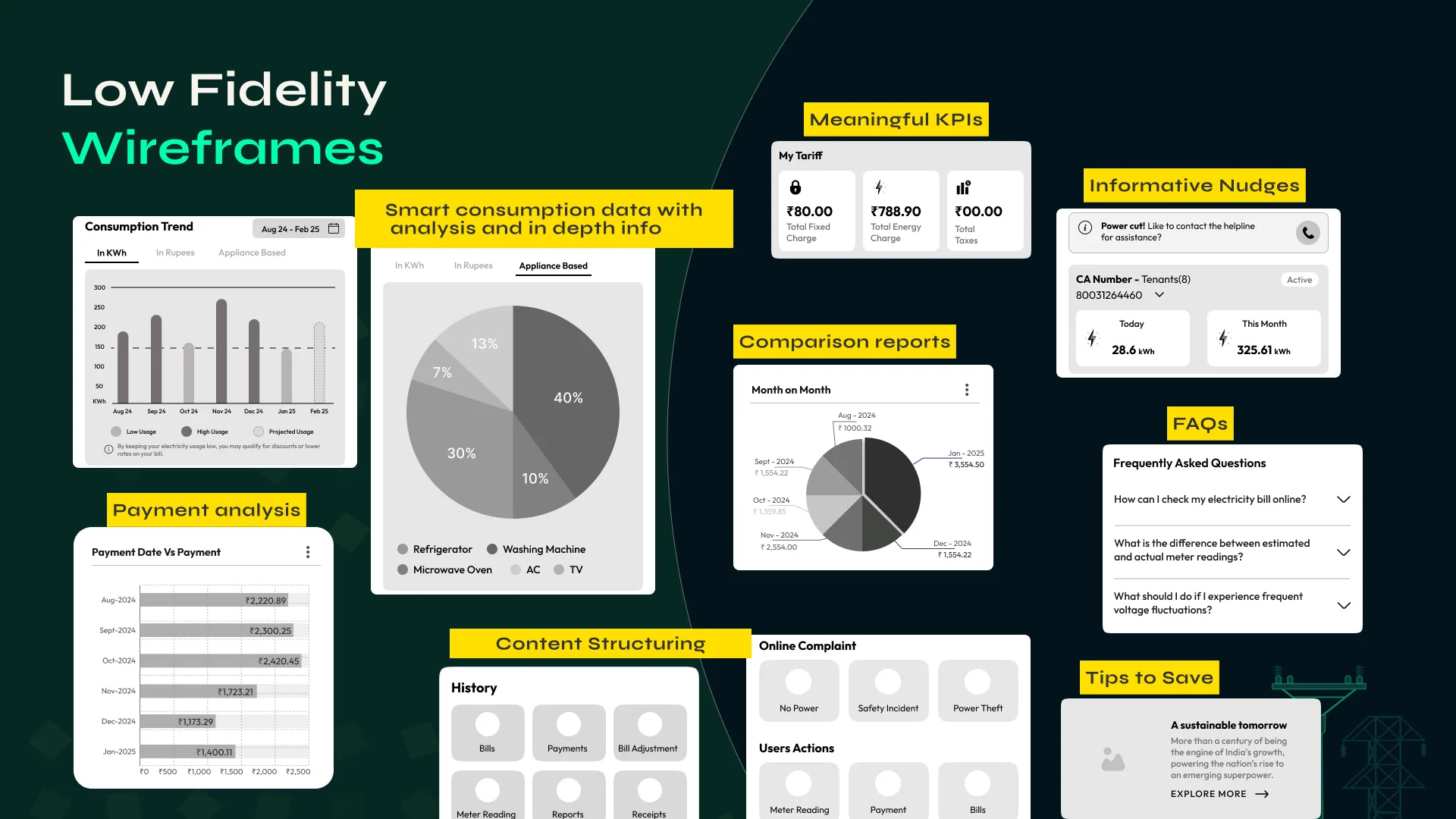
Before UI, we worked out what deserved a place: meaningful tariff KPIs, nudges like “Power cut! Contact the helpline?”, consumption broken down by month, rupee and appliance, payment analysis, FAQs and tips to save.

Wireframes before pixels
Low-fidelity wireframes
( Design highlight 01 )

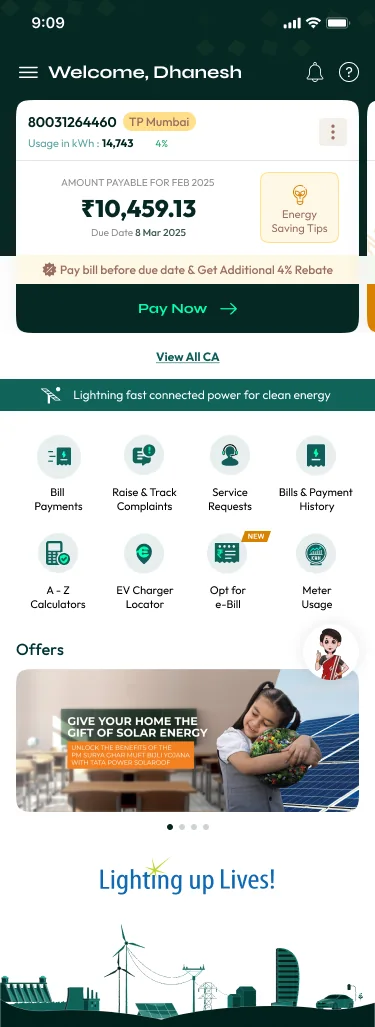
The bill, front and centre

Amount payable, due date and the early-payment rebate lead the home screen, with Pay Now a thumb away. Services, offers and solar come after.

The bill, front and centre
( Design highlight 02 )

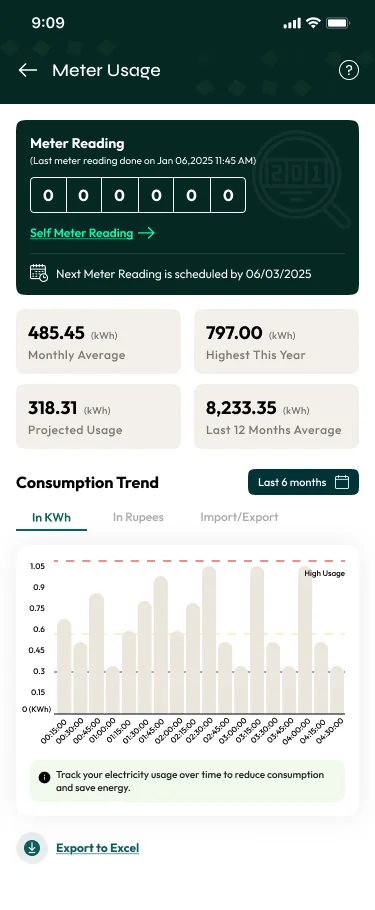
Usage you can act on

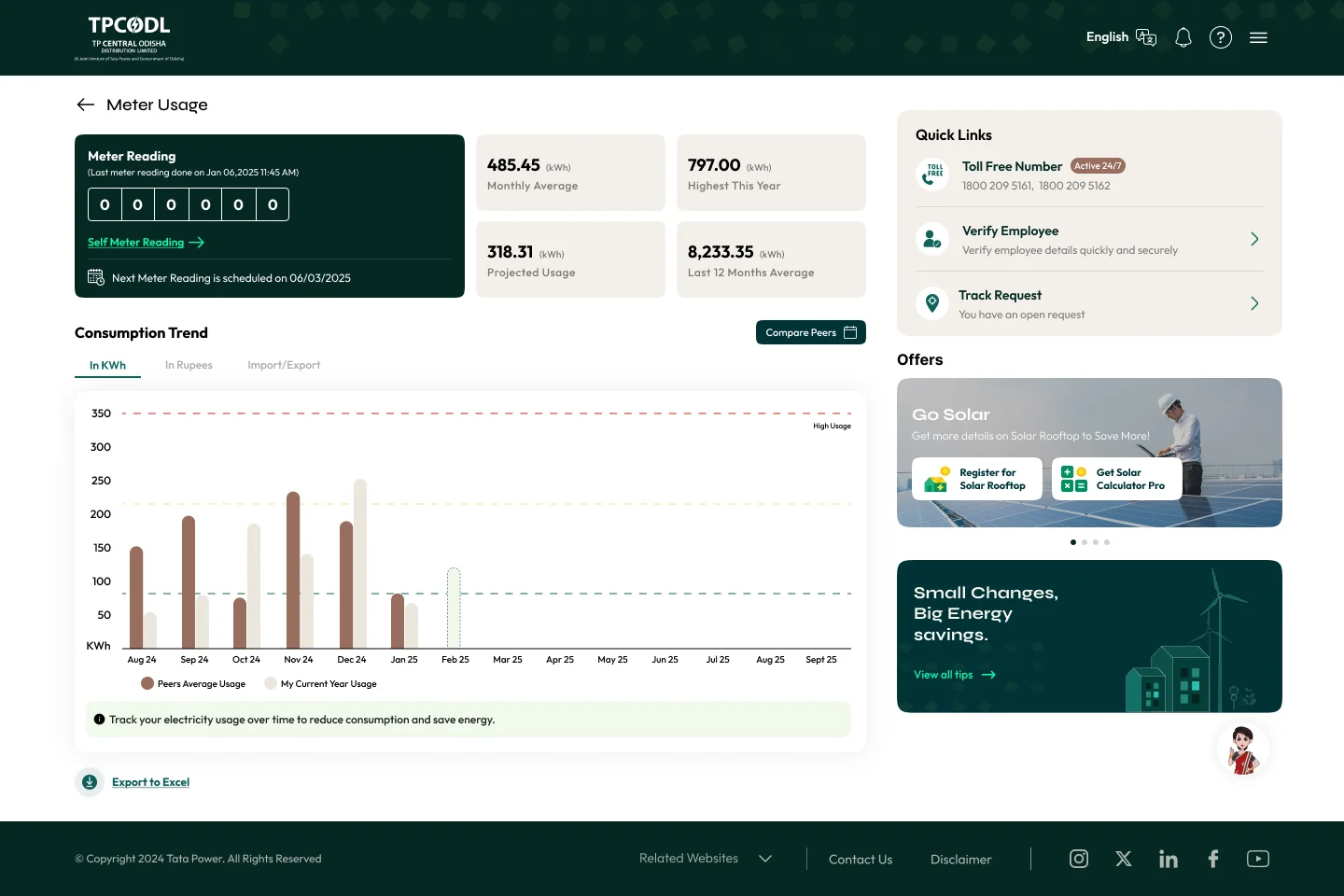
Meter readings, monthly and projected usage, 15-minute consumption and peer comparison, so a high bill never comes as a surprise.

Usage you can act on
( Design highlight 03 )

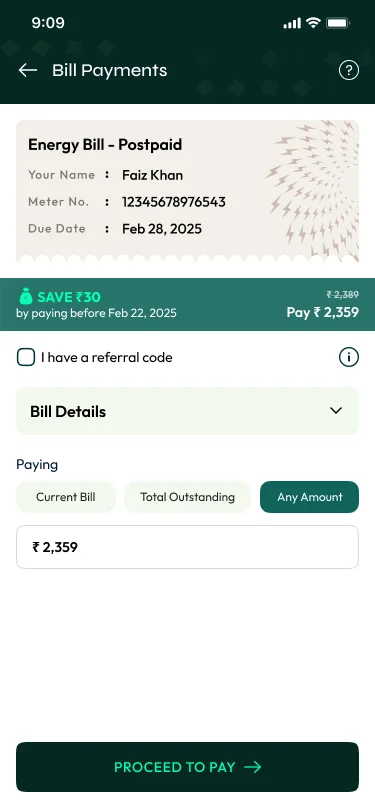
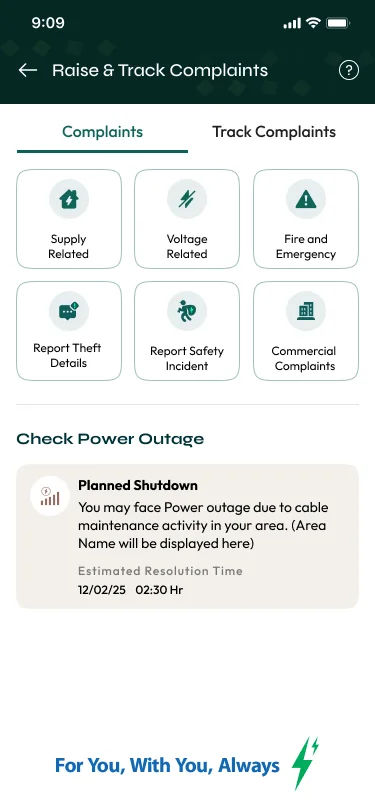
Pay, then raise and track

Pay the current bill, the outstanding or any amount, with savings shown upfront. Complaints for no power, voltage, theft or safety are one tap away and tracked to closure.

Pay, then raise and track
( Design highlight 04 )

Services that used to need a visit

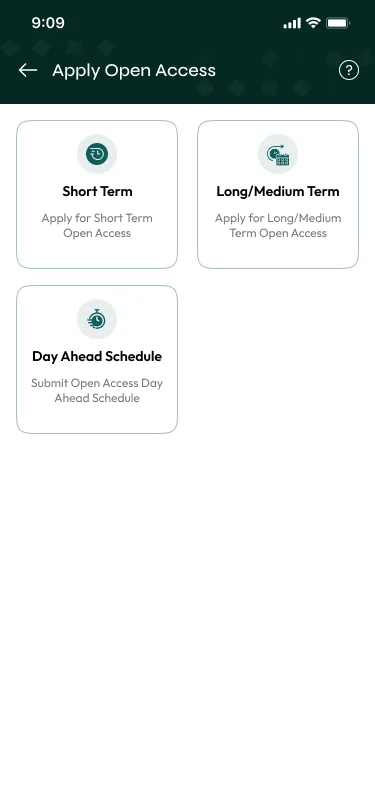
New connections, name and load changes, change-over and even open access for large consumers became guided, multi-step forms with document upload and drafts.

Services that used to need a visit
( Web portal & admin )

The same system on the web,
and an admin to run it

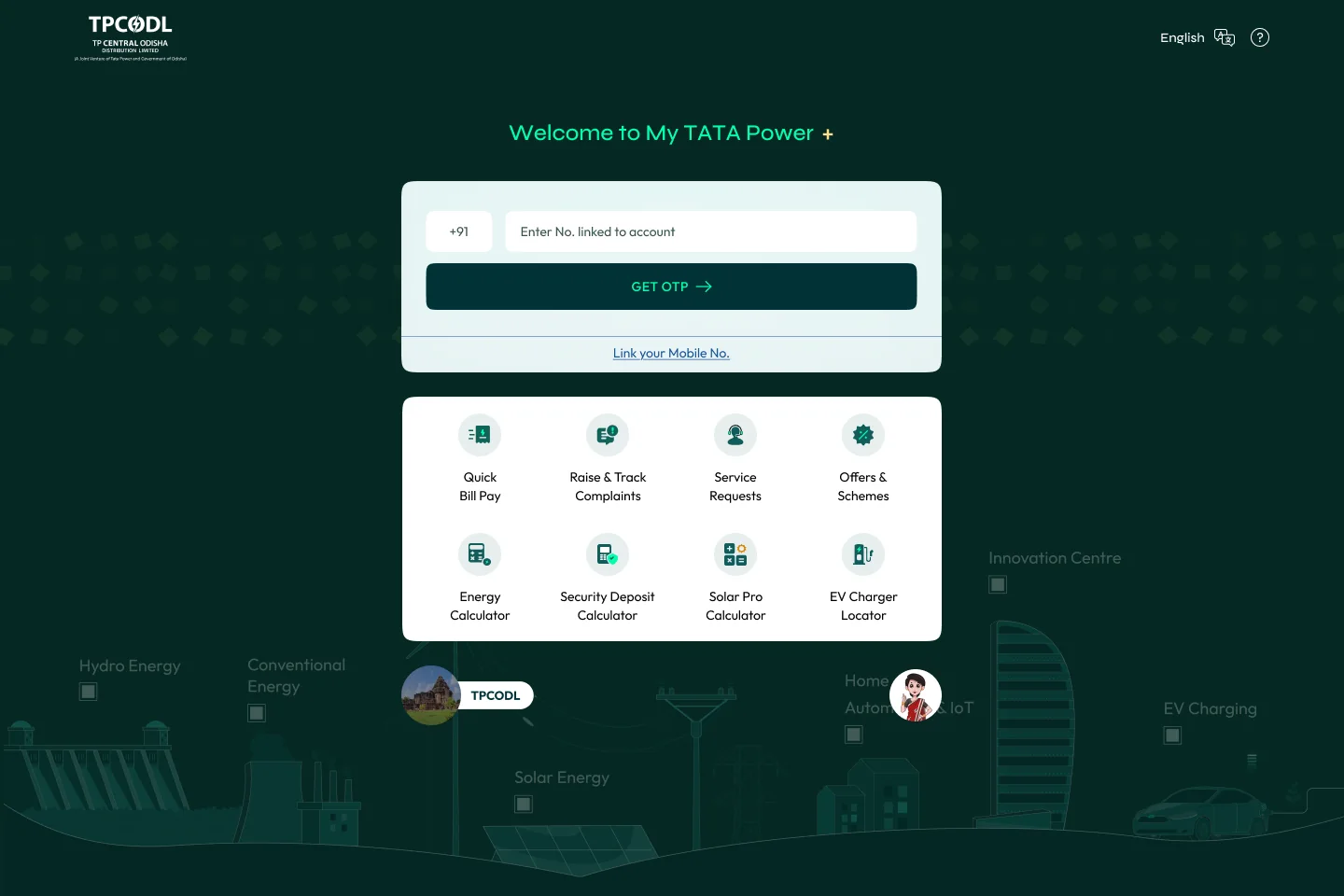
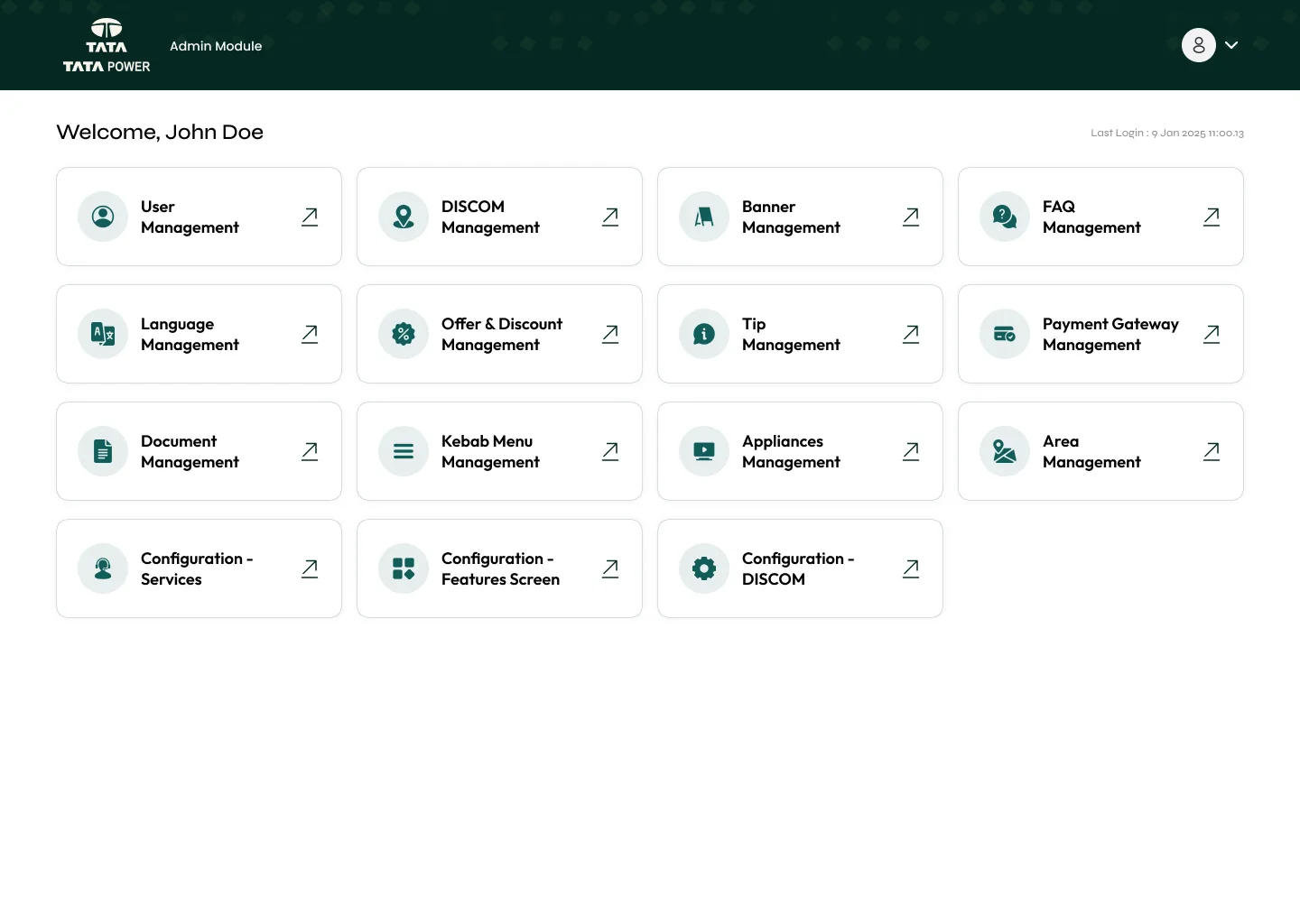
The responsive web portal mirrors the app for customers at a desk. I also designed the admin that runs all seven discoms: users, discoms, banners, FAQs, languages, offers, tips, payment gateways and which features each discom switches on.

tpcodl.com
Web pre-login
Web · Pre-login (TPCODL)
admin · main dashboard
Admin dashboard
Admin · Main dashboard
tatapower.com · meter usage
Web meter usage
Web · Meter usage
tatapower.com · choose discom
Choose discom
Web · Choose your discom
( How it came together )

Process

Benchmark

Competitor apps for clean design, coachmarks, information bucketing and ticket status.

Personas & IA

Resident, tenant, landlord, NRI; IA mapped across home, pay, usage, complaints, services.

Low-fi

Wireframes for KPIs, nudges, consumption analysis and content structure.

UI system

Syne + Outfit type, isometric illustrations, one library themed per discom.

Roll-out

Discom by discom on app, web portal and admin.

( Measuring success )
1 lakh+

My Tata Power Plus has passed 1 lakh downloads on Google Play. Its rating sits at 3.3★ from about 1K reviews and has been climbing steadily release by release; reviews still flag sign-in and OTP issues, which the signals below watch closely.

01

Store rating

Tracked release by release, alongside what reviews mention most.

02

Digital payments

Share of bills paid in the app or portal, and early-payment rebates claimed.

03

Complaint closure

Complaints raised and tracked to resolution without a phone call.

04

Sign-in success

Sessions that reach the dashboard without an OTP retry.

Google Play, Oct 2026: 1 lakh+ downloads · 3.3★ from ~1K reviews